Q: What is the authorization process for a Change Directive?
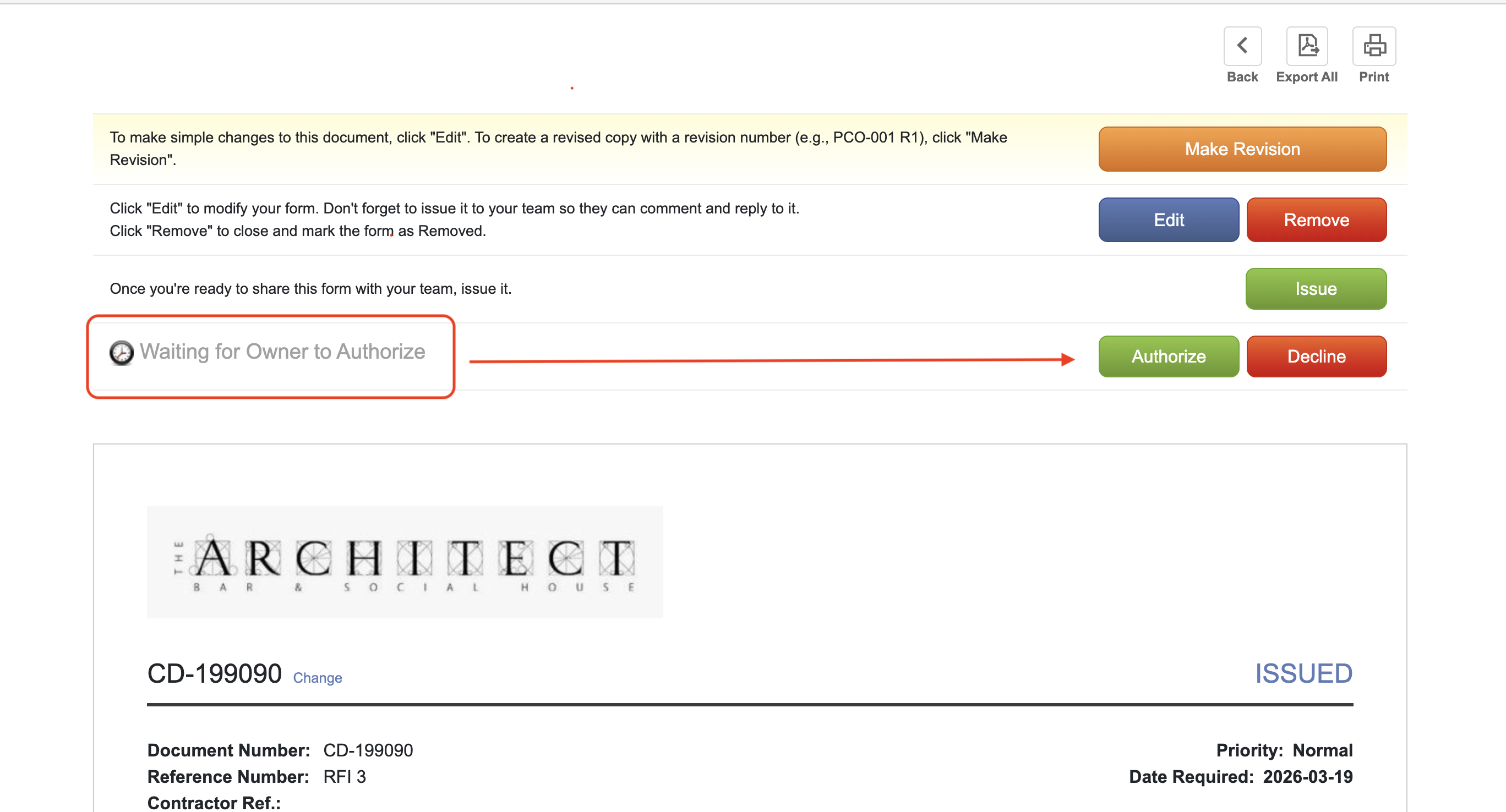
A: A Change Directive follows a two-stage authorization workflow to ensure both the necessity of the work and the final costs are formally tracked:
1. Initial Commencement (Work Authorization): Before any work begins, the Owner’s approval is required. This allows the contractor to proceed with the change immediately when the final cost cannot yet be determined.
Q: When should a Change Directive be moved to "Authorized" or "Approved" status?
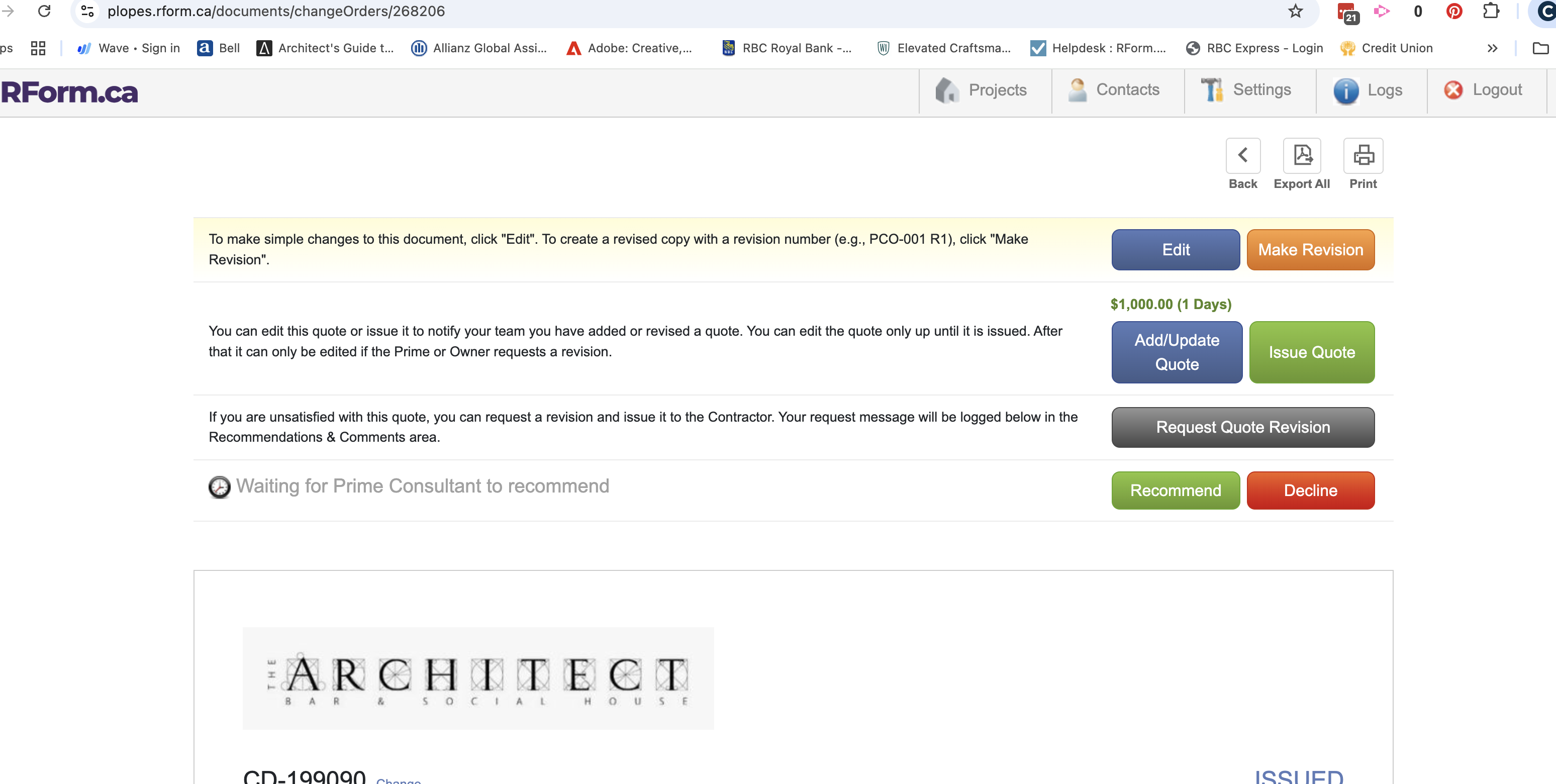
A: A Change Directive should remain in the "Open" or "Issued" status until all pricing from the contractor and sub-trades has been received and verified.
During the work: The contractor should use the "Adding Quote" feature to update the Directive as costs come in (e.g., adding $1,000 on March 10, then another $1,000 on March 11 for a $2,000 total).
The Final Step: The CD should only be Recommended and Authorized once the total final price is reached.
Pro-Tip: In RForm, once the status displays "Closed" and the "Reopen" button appears, you know the process is officially finalized and the cost is locked into the contract sum.
Q: Why can't I Authorize a CD while the Contractor is still adding quotes?
A: Authorizing a Change Directive effectively "locks" the financial data for that specific change. To ensure accurate project accounting, RForm requires all quotes to be finalized first. If you authorize too early, you may have to "Reopen" the CD, which can complicate audit trails and progress claim calculations.
Q: How does a Change Directive affect the Progress Claim and Certificate for Payment (CP)?
A: Once a Change Directive is authorized by the Owner in the first step (the Work Authorization) and the Contractor adds an initial quote, it will automatically appear on the Certificate for Payment (CP). This allows the work to be paid out progressively as it is completed, rather than waiting for the entire process to close.
Q: Can I control whether a Change Directive appears on the CP?
A: Yes. In RForm, a CD can be designated as "Eligible" or "Ineligible" for inclusion on a CP:
Eligible: The CD can be paid out progressively through the monthly Progress Claims.
Not Eligible: The CD will not appear on the CP until the work is 100% completed and the final cost has been approved.
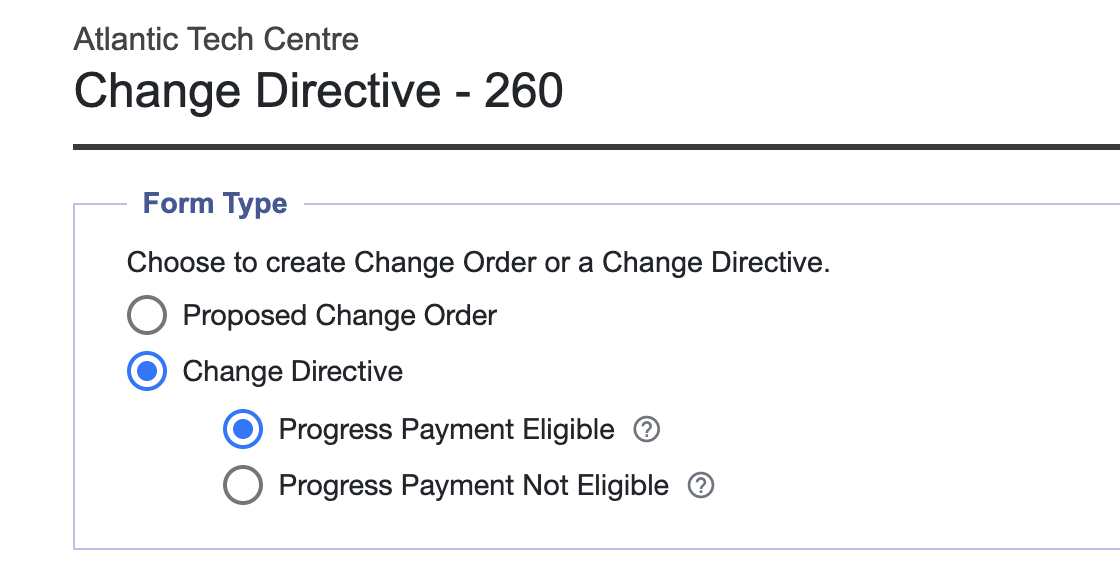
Q: Can I convert a Proposed Change Order (PCO) into a Change Directive?
A: Yes, but timing is critical. A PCO can only be converted into a CD before a quote has been added to the record. Once a quote is attached to the PCO, the system locks the document type, and it can no longer be converted.
Q: What happens to the Change Directive once it is fully approved?
A: Upon final approval of the total cost, the Change Directive is formally converted into a Change Order (CO). This finalizes the change as a permanent adjustment to the Contract Sum and moves it from the "Directive" category to the "Executed Change" category in your project accounting.
Summary Table: CD Status & Financial Impact
| Action / Feature | Rule | Impact on RForm |
| Initial Authorization | Owner must sign first. | Enables the "Add Quote" feature. |
| Progressive Payment | Must be marked "Eligible." | CD appears on the current Progress Claim. |
| PCO to CD Conversion | Must be done before quoting. | Changes the document workflow mid-stream. |
| Final Approval | CD converts to a CO. | Finalizes the audit trail and closes the record. |
Q. What are some of the rules of progressing a Change Directive?
A. Some rules for CDs are as follows:
If Progress Eligible, once CD has a quote, it will appear in CPs and can be progressed. (confirmed)
Once there is progress, you can not change quote to an amount LESS than already progressed.
You can’t enter a progress greater than 100% in CP
Was this article helpful?
That’s Great!
Thank you for your feedback
Sorry! We couldn't be helpful
Thank you for your feedback
Feedback sent
We appreciate your effort and will try to fix the article