In the project details you can add or modify the Lien Holdback settings for your project.
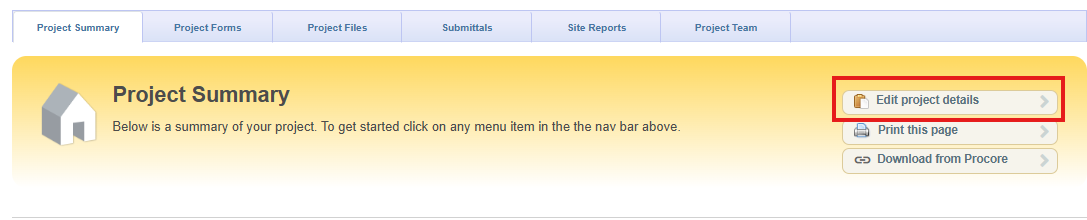
Scroll down to the Holdback % section and enter or edit the percentage value.

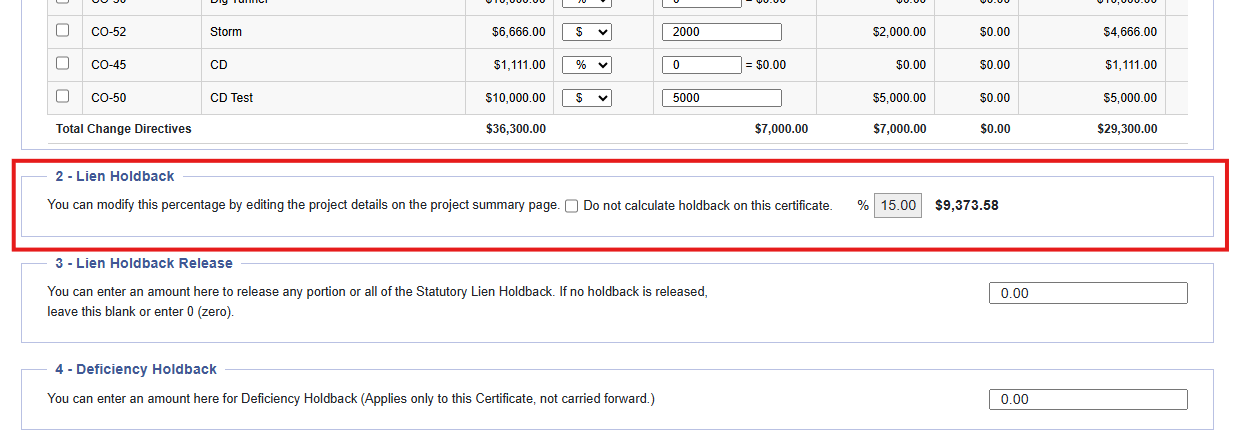
Certificate for Payment - Lien Holdback Setting
When creating a Certificate of Payment the Lien Holdback settings will be applied and displayed on the Certificate for Payment and can be edited further.
Lien Holdback settings from the Project Details are carried over to the Certificate for Payment.
Schedule of Values SOV - Exempting Line Item from a Lien Holdback
To exempt a line item from the Lien Holdback, ensure it has not been on a Certificate for Payment or had any funds drawn against it. If it has, the exempt option will be greyed out and can not be used.
A line item in the SOV can be made exempt from a Lien Holdback by the following steps:
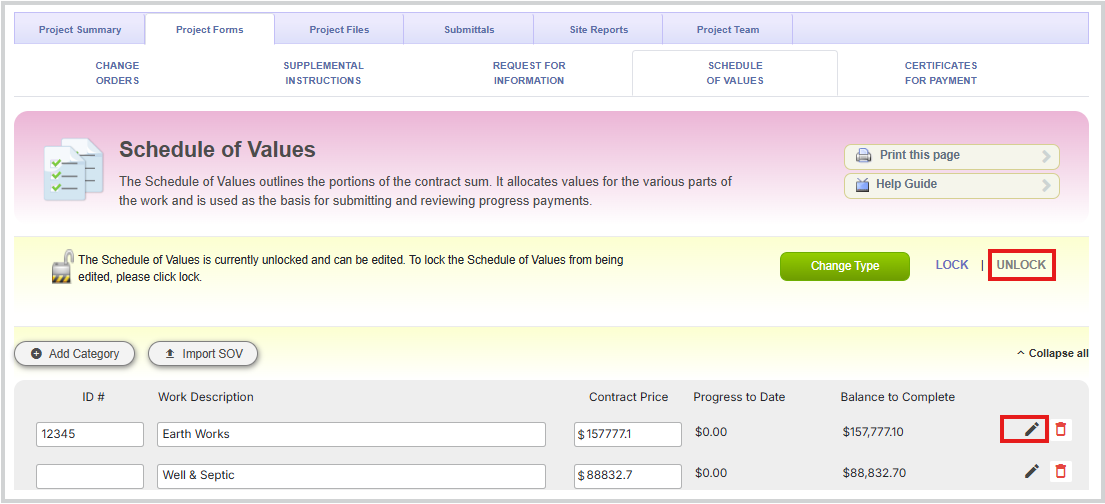
1. Unlock the SOV.
2. Click on the Line Item pencil.
3. Check the Exempt Lien Holdback box.
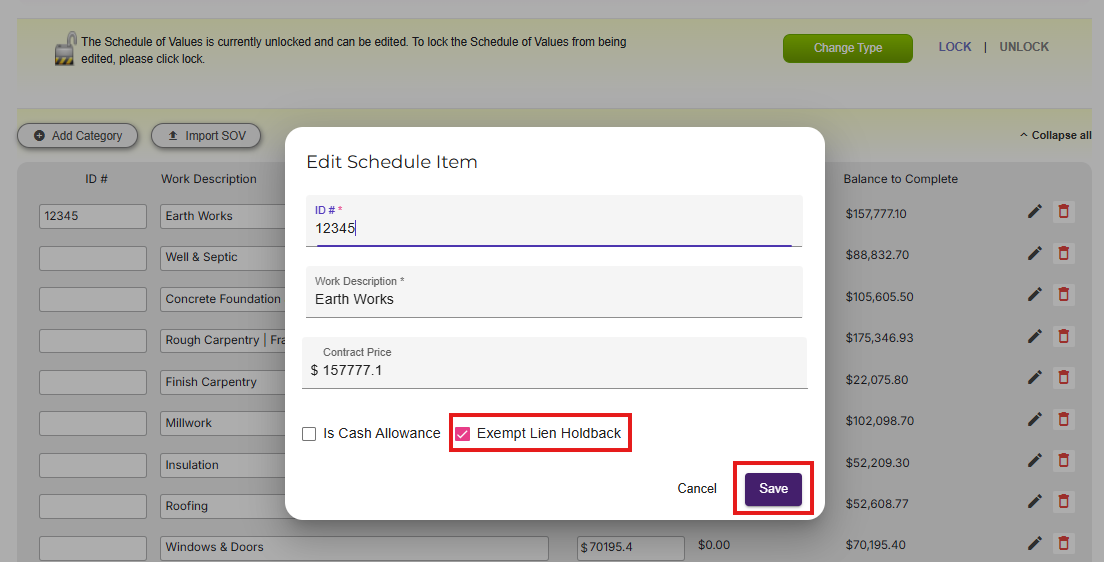
4. Click Save and Lock the SOV.
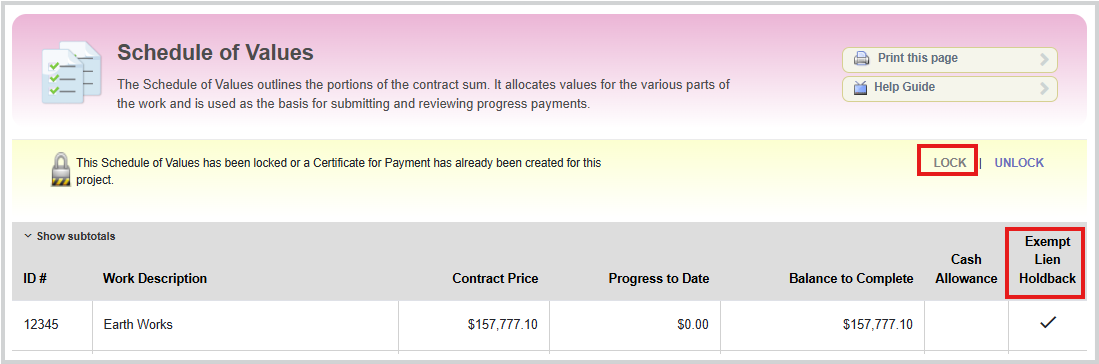
Please note: You can only exempt a line item from the Lien Holdback if the item hasn't been on a Certificate for Payment or had any money drawn against that exempt line Lien Holdback. If the line item has had a progress then this option will be greyed out.
Lien Holdback Settings - Certificate for Payment
Lien Holdback settings from the Project Details are carried over into the Certificate for Payment.
The SOV Exempt Lien Holdback settings are also carried over to the Certificate for Payment.
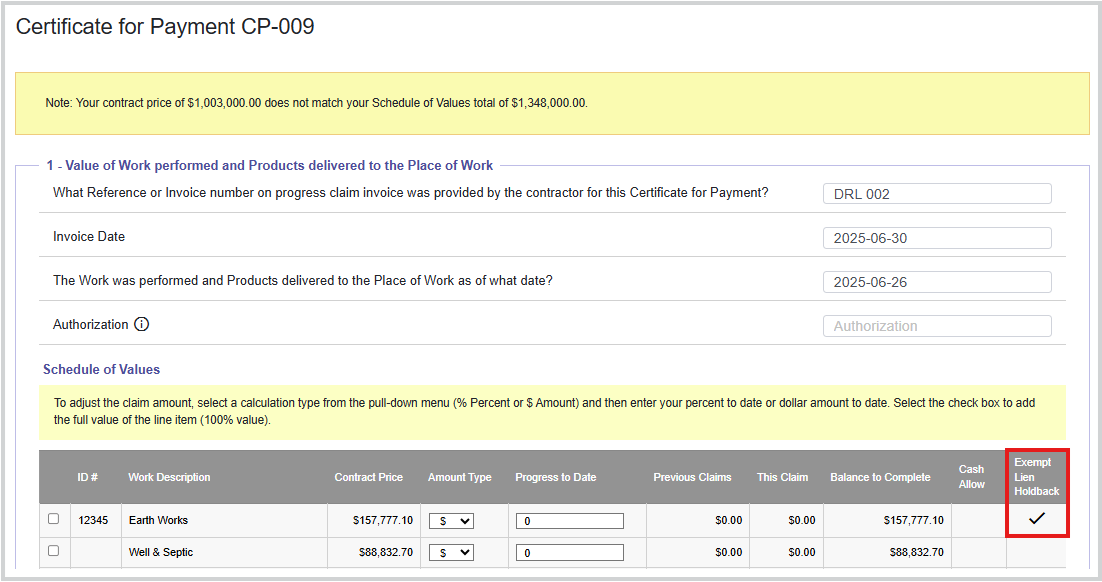
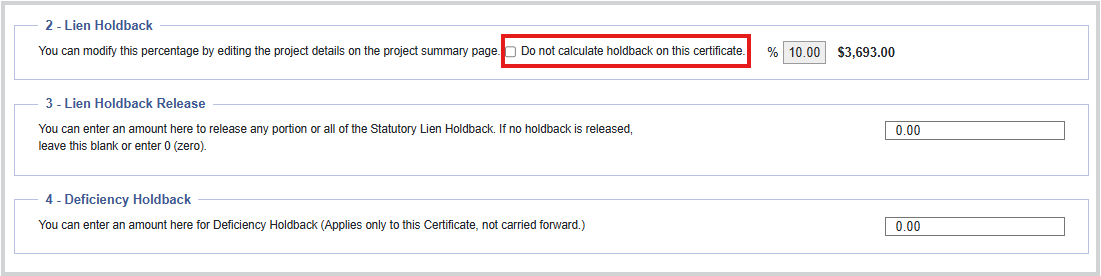
To create a Certificate for Payment and exempt the Lien Holdback from the current Certificate, you can place a check in the box "Do not calculate holdback on this certificate" on the Certificate for Payment you are creating.
When checked the default Lien Holdback can be removed from the calculation on the current Certificate for Payment that is being created or edited.
Was this article helpful?
That’s Great!
Thank you for your feedback
Sorry! We couldn't be helpful
Thank you for your feedback
Feedback sent
We appreciate your effort and will try to fix the article