In this article, you will learn how to accept quotes as an owner.
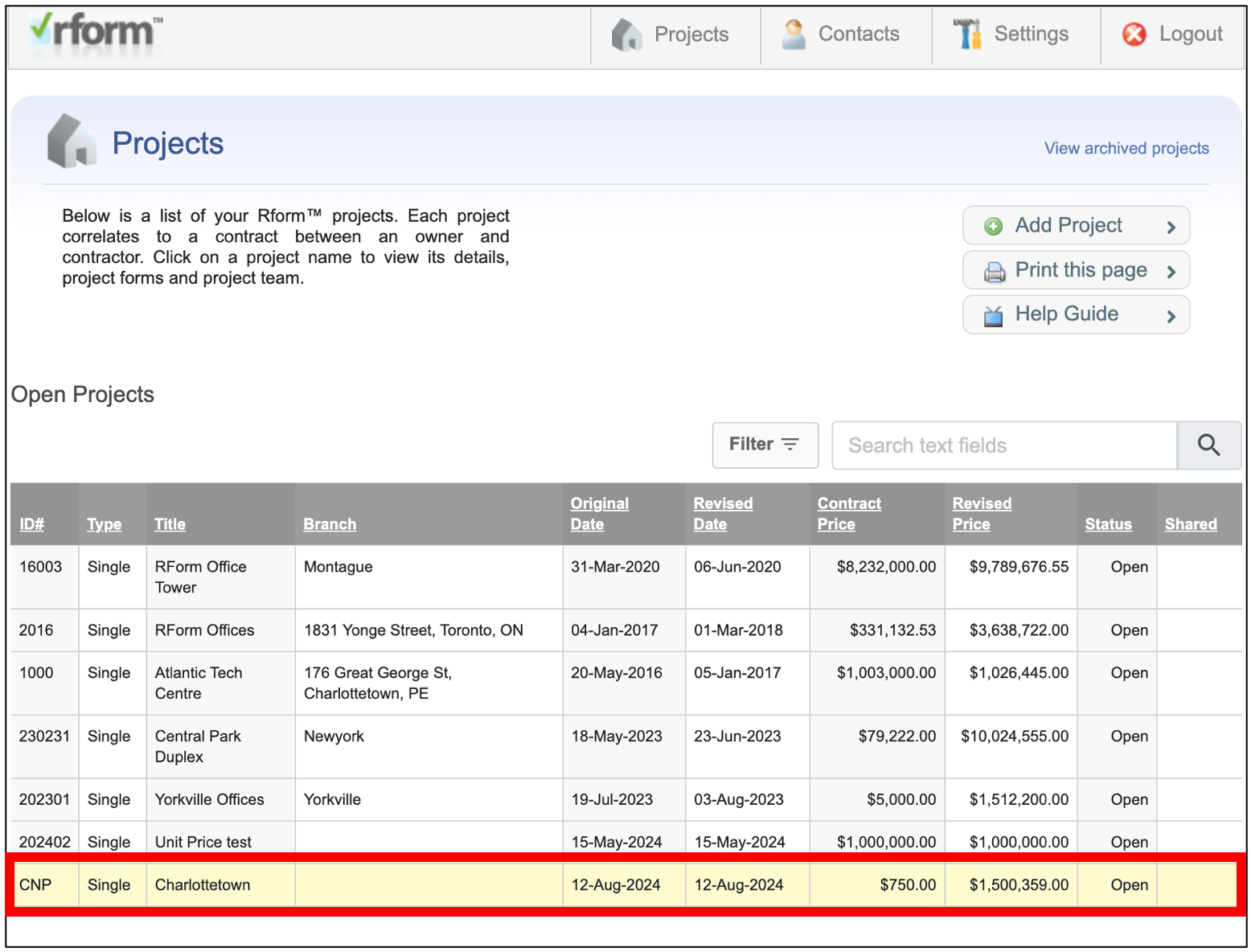
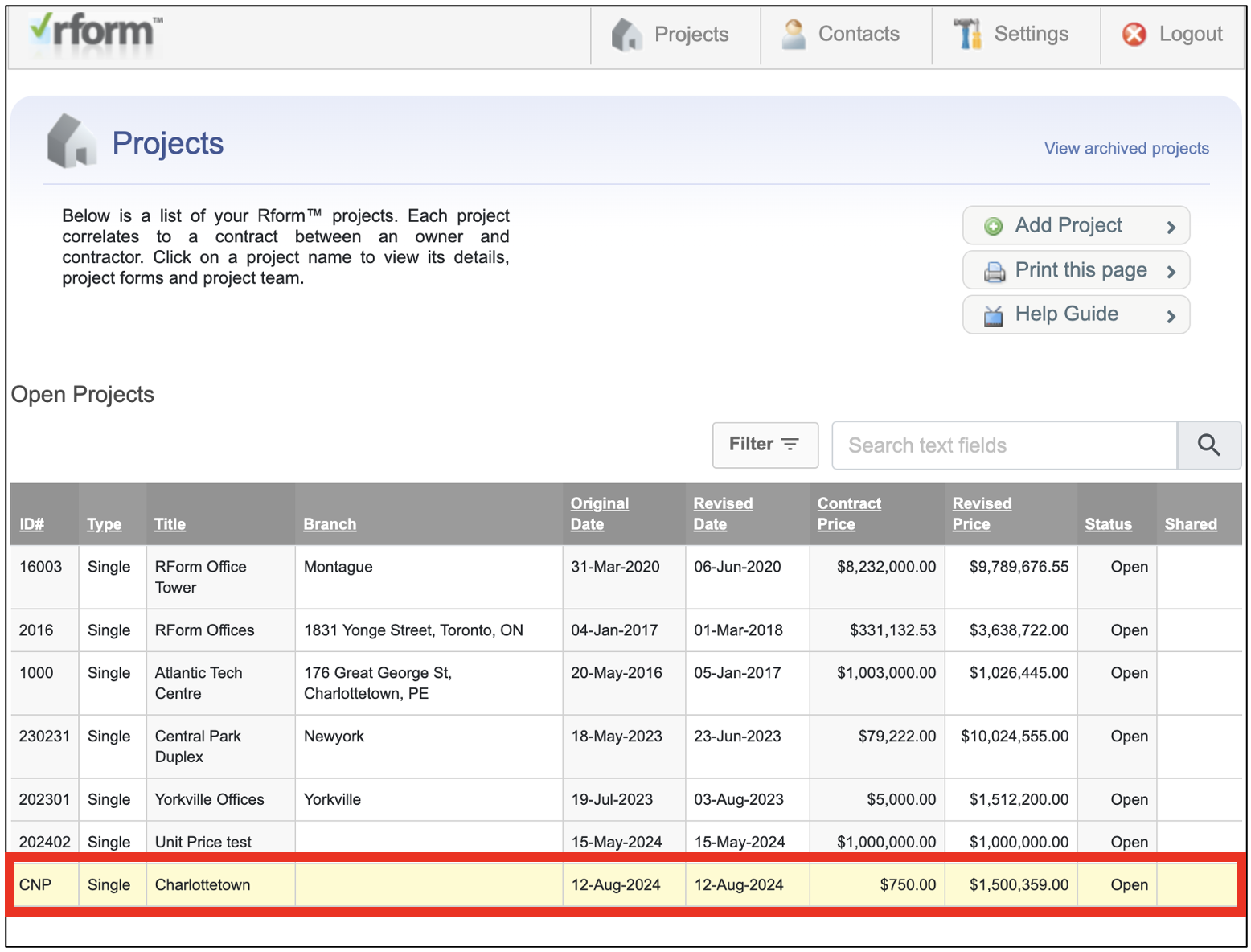
- Go to the Project where the PCO/CD request was created.
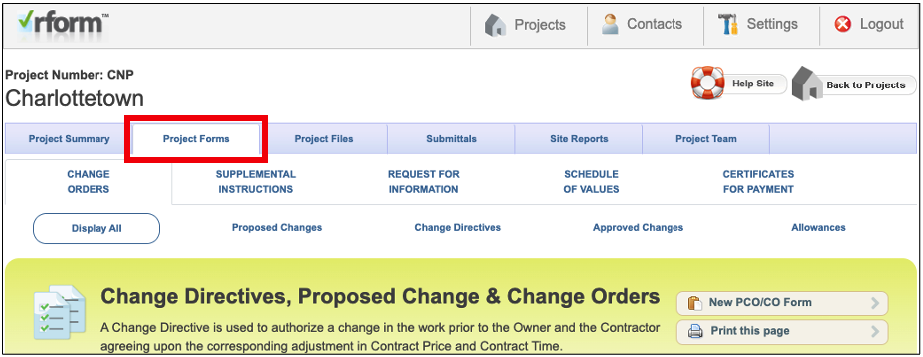
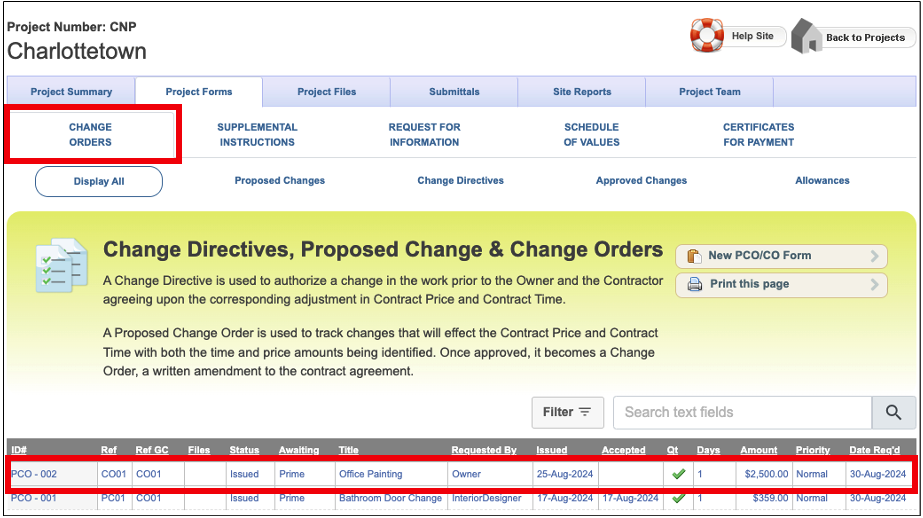
- Click the Project Forms tab and ensure that the CHANGE ORDERS tab is active.
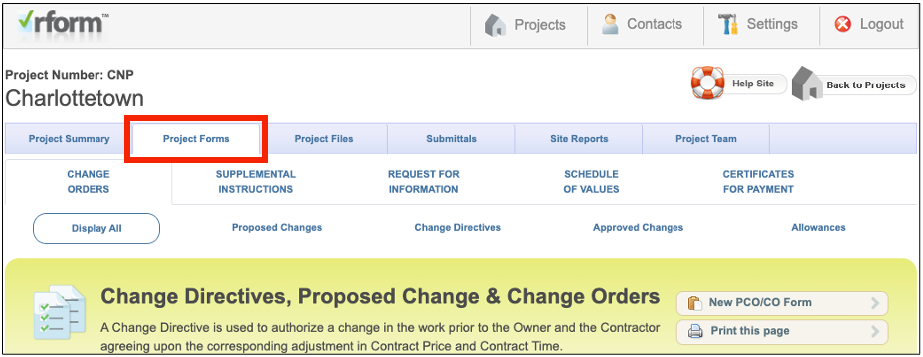
- Note: By default, the CHANGE ORDERS tab is active when accessing the Project Forms.
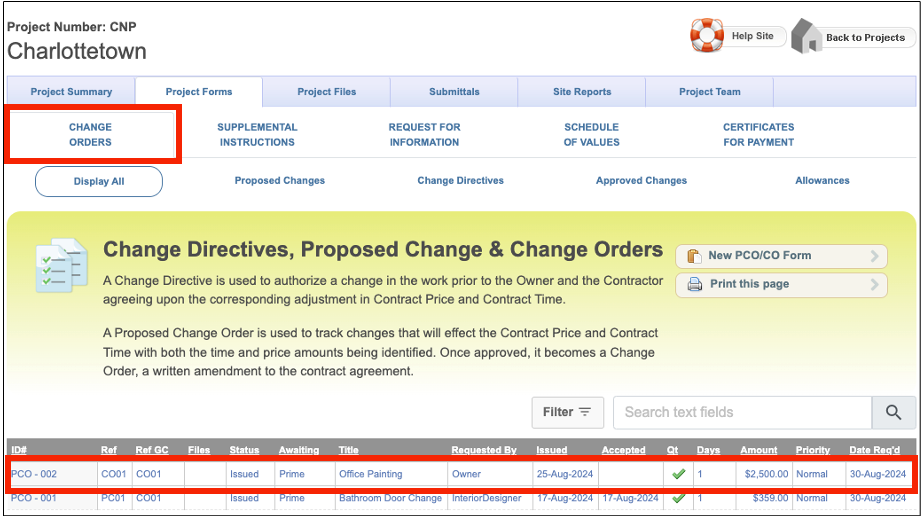
- When accessing the CHANGE ORDERS tab, the Proposed Changes section is active. Find and select the request that you want to accept/decline.
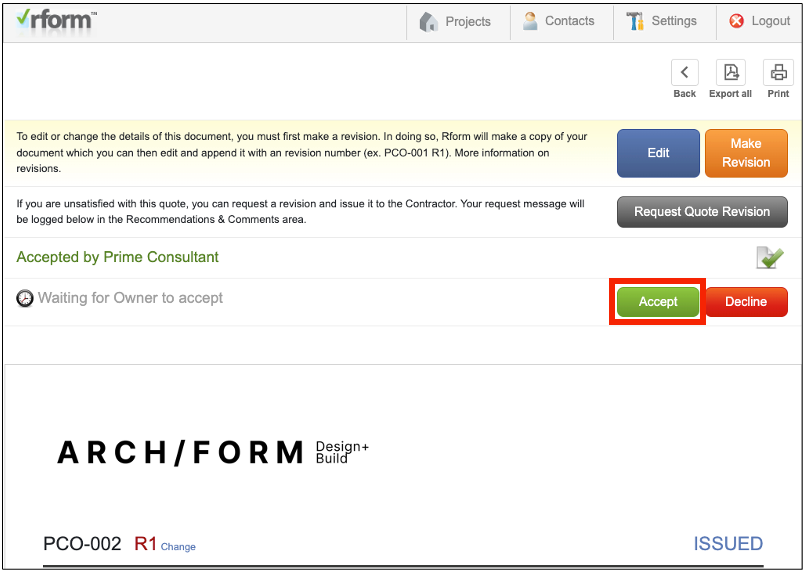
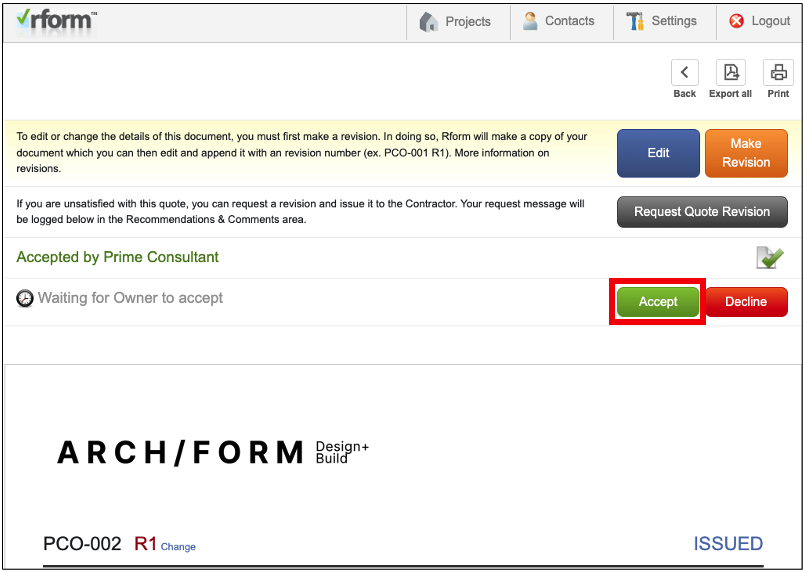
- You will be directed to the change order's ISSUED page. Click the Accept button.
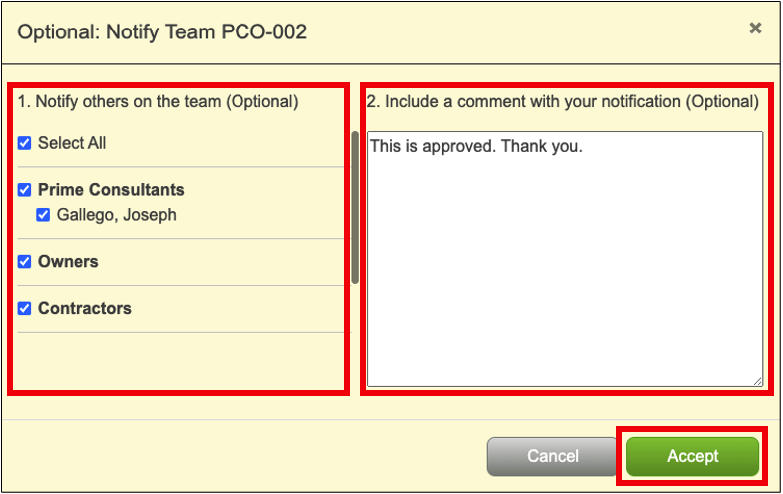
- the Optional: Notify Team <PCO No.> window will appear. In the 1. Notify others on the team (Optional) section, and select the Checkbox(es) of the contacts you would like to be notified.
- In the 2. Include a comment with your notification (Optional) section, and enter a brief acceptance note/comment.
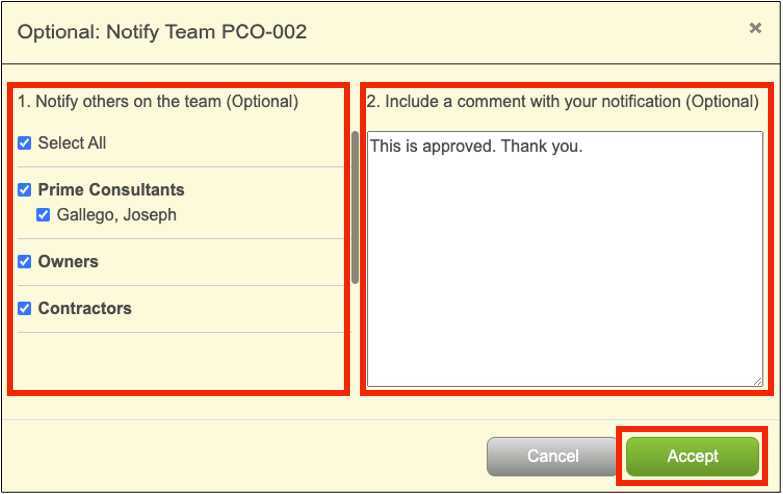
- Click the Accept button to continue. After accepting the request, the status will be updated to ACCEPTED.
When Declining requests, it is worth noting to add notes/comments on declined requests.
Was this article helpful?
That’s Great!
Thank you for your feedback
Sorry! We couldn't be helpful
Thank you for your feedback
Feedback sent
We appreciate your effort and will try to fix the article